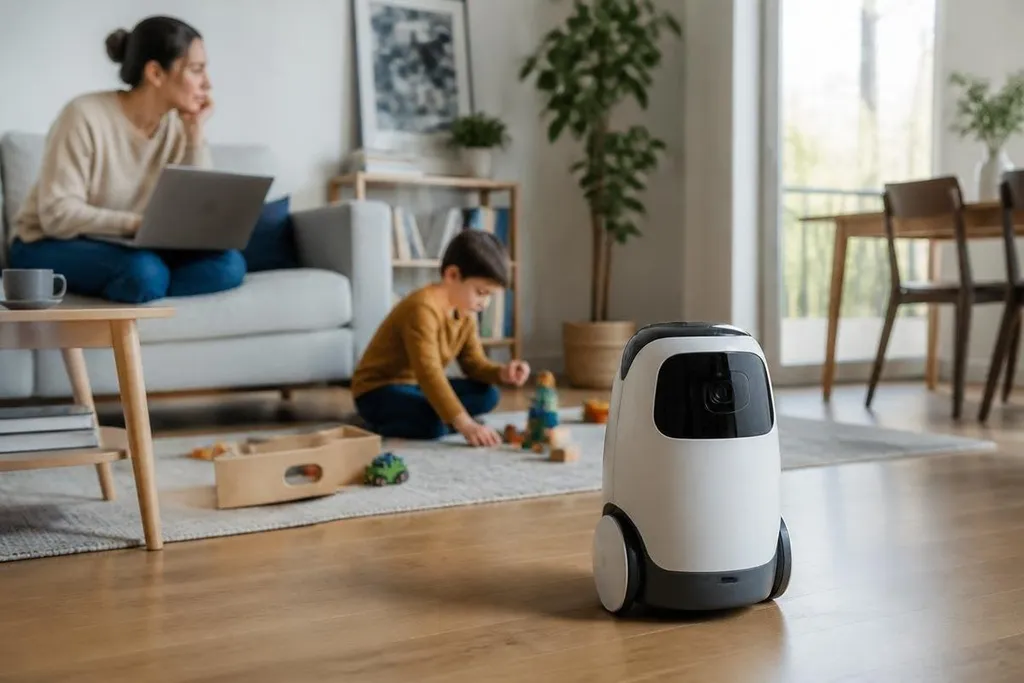
A home robot may need a camera to find a dropped toy, a microphone to hear a command, and an account to recognize the person speaking. Those same parts can build a detailed record of life inside the home, even when the robot's task looks small.
- Cameras may record rooms, faces, screens, and visitors.
- Voice systems can store commands, audio clips, or account details.
- A robot that learns routines can infer when people are home or away.
What the robot can learn
Personalization starts with data. The robot may collect room maps, object locations, voice profiles, movement paths, task history, and timestamps. Each item can help the robot work better, but the group of records says far more than any single sensor reading.
A map can show where bedrooms are located. A task history can show when a child gets home from school. A camera image may include a visitor who never agreed to appear in the robot's records. The privacy risk comes from this added context.
The robot may also infer facts that you never gave it directly. Repeated medicine reminders could suggest a health issue. Night-time movement could show a work schedule. Frequent calls from one room could reveal who uses that room and when.
Where the data goes
The next question is storage. Some robots process data inside the device, while others send audio, images, maps, or account details to a remote server. The product's privacy notice should state which route it takes and how long records remain available.
A remote server can make updates and account access easier, but it adds another place where data can be exposed. A stolen password, a software error, or a mistake in access settings could let someone view records that came from inside your home.
Robot makers may also depend on outside companies for speech recognition, cloud storage, mapping, or customer support. That can spread the data path across several firms.
A cloud connection can turn one robot’s privacy policy into a question about several firms, contracts, and storage locations. A dated Robot 24 report can place those links beside the robot, its task, and the data involved.
Personalization has a useful limit
A robot doesn't need to remember everything forever. It may need a room map to move safely, but it may not need a permanent image of every visitor. It may need a command history for a short period, but not a full audio archive.
Good controls make those limits visible. You should be able to see what the robot has stored, delete individual records, turn off a sensor, and use the main task without accepting unrelated data collection.
Shared homes make this harder. One person may buy the robot, while several people appear in its camera view or speak near its microphone. Guests, children, cleaners, and carers may have no clear way to check what the robot records about them.
The strongest opposing view is practical: more data can make a robot respond faster and avoid repeated setup. That can be true, but the maker still needs to explain the trade and give people a real choice.
Check the privacy setup before you buy
Use this short check before connecting a personalized robot to your home network:
- Read the sensor list. Mark every camera, microphone, depth sensor, and location system.
- Check storage location. Find out which records stay on the robot and which leave the home.
- Set deletion rules. Choose the shortest history that still supports the task you need.
- Test guest controls. Confirm that another person can pause recording or remove their profile.
- Review account access. Use separate accounts where possible and turn on sign-in alerts.
- Plan the offline case. Check which functions still work when the internet connection stops.
The privacy question changes with the job. A robot vacuum with a limited room map creates a different concern from a home assistant that keeps voice records, recognizes faces, and watches daily routines.
I'd skip any robot that hides its data settings behind a vague privacy notice or makes deletion harder than setup. Until makers show clear storage, deletion, and guest controls, personalization should stay narrow: collect what the task needs, keep it for a stated period, and let the household remove it.